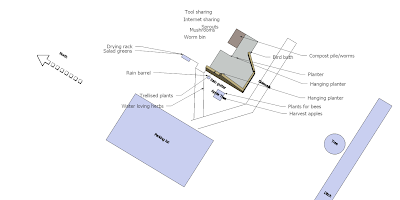
I recently used
Google Sketchup for a permaculture design I did. If you're not familiar with Sketchup, it's a free diagramming and three dimensional design tool that runs on Windows and the Mac.
I am computer literate, but had not used a design tool like this before--probably the closest program I'd used was
Visio, and that was for a totally two dimensional problem. I found Sketchup a bit difficult to use, though there is plenty of help available. Sketchup has a large set of help documentation that ships with Sketchup, there's
online help, and there are
extensive video tutorials. I think that largest issue I had with Sketchup is just the vast set of tools that it presents--I needed a lot less than it gave me.
The benefits that Sketchup provides include accuracy, easy layering and shadowing. The accuracy was most impressive. My design was for an urban site, so I was able to measure most of the relevant distances and structures. Then I was able to put the measurements in Sketchup and get a more accurate representation far quicker than I would have been able to with traditional permaculture methods (paper). Now, I have never done drafting, so I'm sure that's part of the equation.
Sketchup also allows you to add items to layers, and switch those layers on and off. The implementation in Sketchup is a bit different than in other 3d modeling software, so it's worth viewing
this layers tutorial--I probably viewed this about 5 times, trying to get the hang of it. But it was great to be able to switch layers (from basemap to basemap with zones to basemap with sectors, etc) with the click of the mouse, rather than moving tracing paper.
Sketchup allows you to
automatically create shadows. You can do this
manually with this process, but I'm guessing the Sketchup makes it easier. The trade off is having to measure the height of various obstructions precisely. I didn't end up using the shadowing, but it seems like a useful feature.
Overall I was happy with Sketchup. But, no tool is perfect. I had issues with a number of items. First, the layers menu disappeared on me. Luckily,
fixing this is a FAQ. I also had issues with connecting lines--if you want to create non square shapes, you need to connect lines carefully. Sketchup gives you lots of help, but if you're used to a two dimensional tool, you may be surprised.
I also had some issues printing the design. I didn't spend a lot of time on this, but I didn't see a 'shrink entire design to page' option, which would have been nice. I ended up previewing the print job repeatedly to see how it would look. Another quirk was the two types of text. One is 3-d text, which you can place and group, and the other was just 2-d text--which you can use an arrow with. I used the 3-d text for a while, but would recommend the 2-d text
Here's the final design that I put together, just to give you an idea of what it looked like: